Scratch Tabs Logo SCRATCH_TABS
// THE_INTELLIGENT_WORKBENCH

Your Data Understands Itself.

Paste JSON, OpenAPI specs, HAR captures, PEM certificates, dotenv files, or Markdown and the editor becomes a purpose-built tool for that format. Not just syntax highlighting - structural intelligence.

Built on VS Code's Engine.

The same editor that powers VS Code, enhanced with split-screen capabilities and a powerful diff engine for comparing any two tabs.

// Monaco Editor

Professional Code Editing

  • -> IntelliSense: Auto-completion for 40+ languages
  • -> Multi-Cursor: Edit multiple locations simultaneously
  • -> Find & Replace: Full regex support with capture groups
  • -> Code Folding: Collapse regions for better navigation
  • -> Minimap: Bird's-eye view of your document

// Split View & Diff

Side-by-Side Comparison

  • -> Resizable Panes: Drag to adjust split ratio
  • -> Independent Tabs: Different tab sets per side
  • -> Diff Engine: Compare any two tabs instantly
  • -> Tab History: Quick access to recent tabs per pane
  • -> Persistent Layout: Remembers your split preferences
$ split_view --diff-mode
Split view editor with diff comparison

Beyond Syntax Highlighting.

When you paste structured data, the editor doesn't just colourize it - it understands the structure and offers purpose-built tools.

JSON

SMART_VIEW

Paste JSON and get an interactive tree explorer with path queries, validation, and structural navigation.
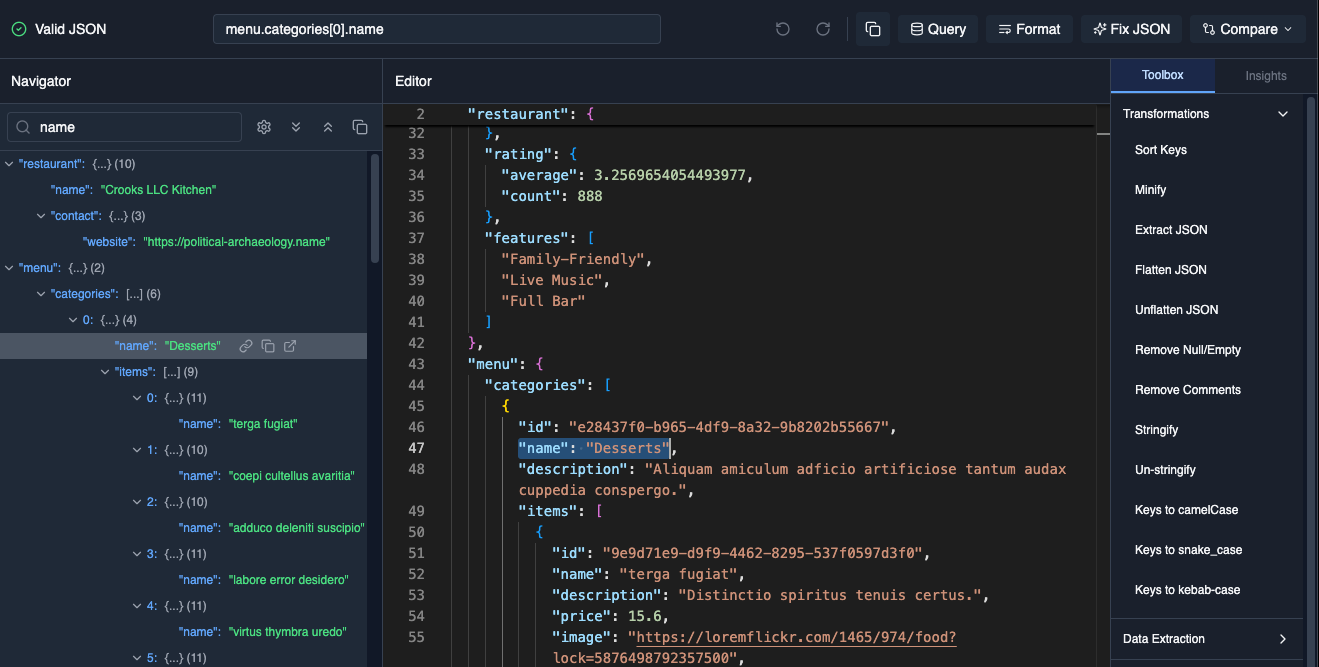
JSON Tree view

CSV

SMART_VIEW

Paste CSV and get a full spreadsheet interface with sorting, filtering, and column operations.
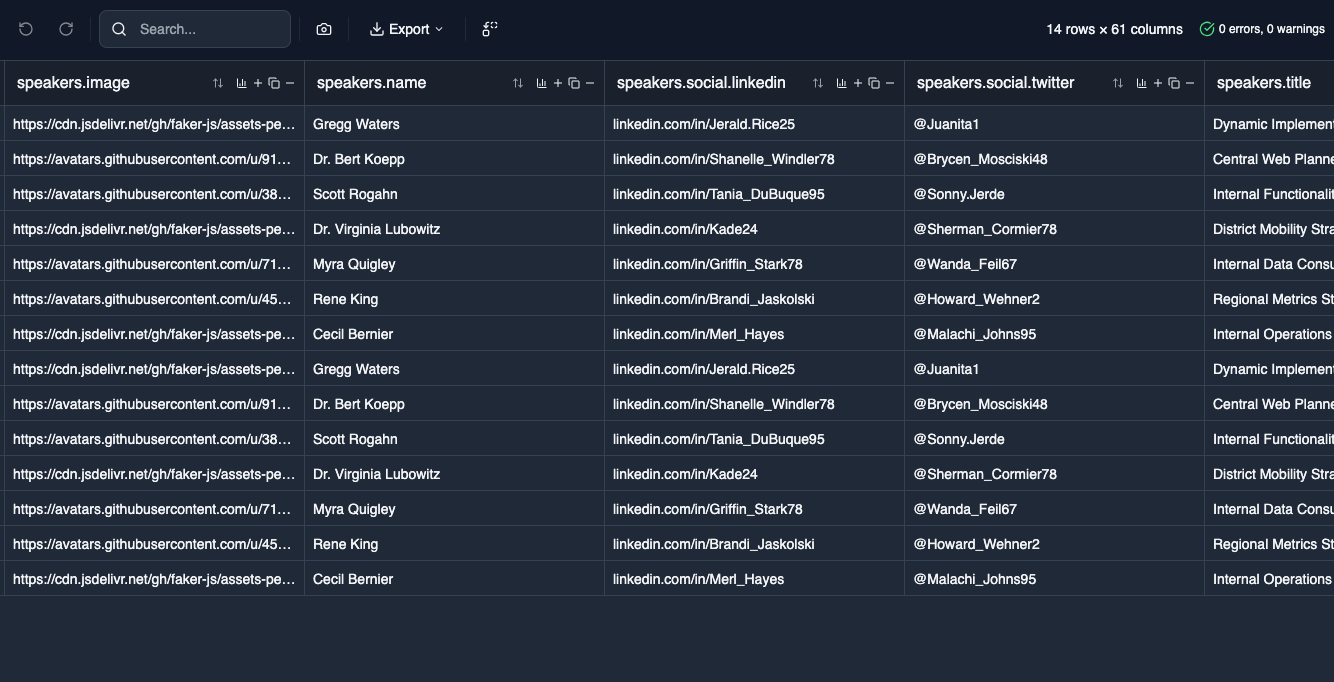
CSV live preview

Markdown

SMART_VIEW

Paste Markdown and get live preview with scroll-sync, rendered in real-time as you type.
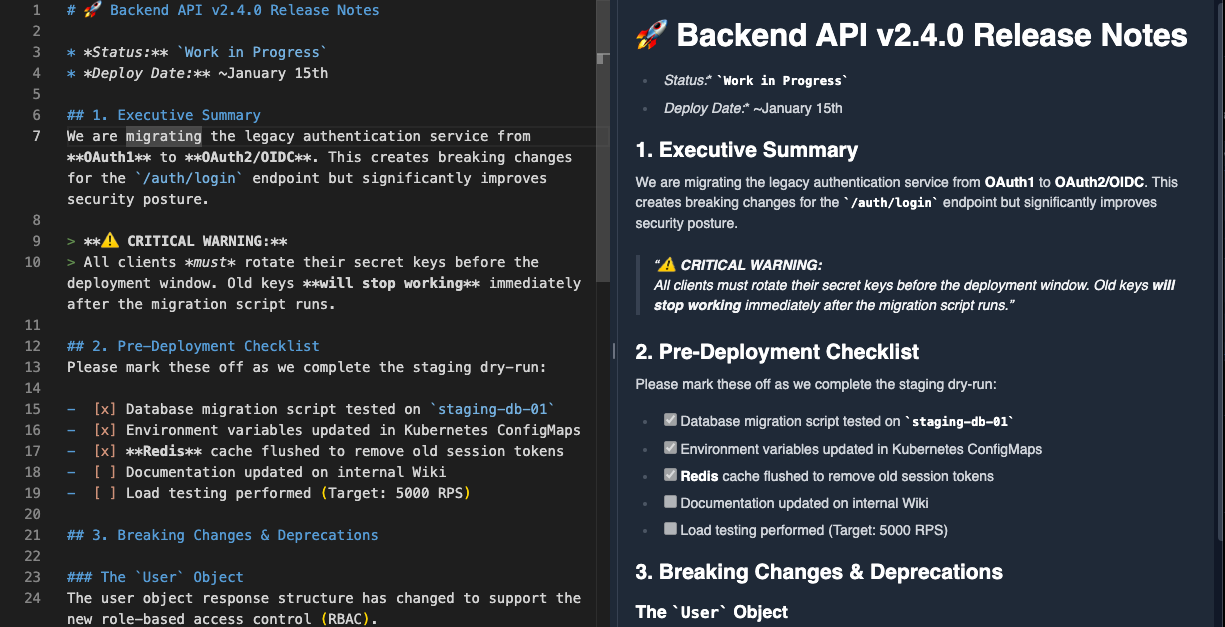
Markdown live preview

OpenAPI / Swagger

Endpoint, schema, security, diagnostics, cURL, and REST Client views

Diff/Patch

Side-by-side comparison with line-by-line navigation

Stack Traces

Frame parsing with clickable file references

NDJSON/Logs

Log aggregation with timestamp sorting

SVG

Visual rendering alongside source code

HAR

Waterfall timing, request details, delete selected entries, two-request comparison, paste-to-merge captures, and cURL export

PEM / X.509

Certificate fields, validity windows, fingerprints, and chain inspection

dotenv

Environment variable browsing, editing, masking, and duplicate checks

YAML / TOML

Structure explorers for configuration files and nested settings

INI / Properties

Section-aware editing and key-value navigation for legacy config

cURL

Request builder view for headers, methods, payloads, and imports

HTML

Live browser preview beside editable markup

XML

Collapsible structure tree, node inspector, diagnostics, and live XPath workbench

Context-Switch Without Losing Your Place.

Multiple isolated workspaces with persistent state. Jump between projects instantly - every workspace remembers its tabs, split layout, and scroll positions.

// Workspaces

Isolated Contexts

  • -> Isolated tab collections per project
  • -> Workspace notes & reference links
  • -> Last-accessed tracking and sorting
  • -> Auto-save before context switch

// Tab Control

Advanced Tab Management

  • -> Pin critical tabs to the top
  • -> Close left/right/all-except operations
  • -> Bulk rename with patterns
  • -> Group by language/format

// Auto-Persistence

Never Lose Work

  • -> Auto-save to local IndexedDB
  • -> Instant recovery on reload
  • -> Per-tab undo/redo history
  • -> Cursor position memory per tab

// Portability

Take It With You

  • -> Export workspace as ZIP archive
  • -> Import with conflict resolution
  • -> Share tabs via hash-based URLs
  • -> SHA-256 integrity verification

Explore the Platform

The Workbench is just one part of Scratch Tabs. Discover the full platform.

READY TO LAUNCH?